Posts

Easy Ways To Share Links On Instagram Stories With The 'Link' Sticker

Image
How To Share Links On Instagram Stories Using The 'Link' Sticker - Can't share any links on Instagram Stories because you don't have the number of followers requirements? Don't worry, because now everyone on Instagram can easily share the link in their Story videos without any terms. Through Instagram's release, from now all the Instagram users can enjoy the new feature in the form of the 'Link' sticker. Now, with this new Instagram 'Link' sticker, you can easily share links to Instagram Stories without having to meet the number of followers or other conditions. Slightly different from the ability to share links in previous Instagram Stories where the links can be opened by 'swipe up', with this sticker 'Link' feature, we only need to tap on the link listed in the story and then tap 'visit link' notification to open the contents. So, curious how to use the Instagram 'Link' ...

How to Use Instagram's New Feature 'Collab'

Image
How to Use Instagram's New 'Collab' Feature To Show Two Or More Instagram Profile Names As Post Authors - Have you ever seen posted Instagram content showing two or more author account profile names? If so, maybe you are wondering how to post content on Instagram like that? The answer is to use Instagram's new feature called 'Collab' (collaboration). What is Instagram Collab Feature Uses? This new Instagram feature is a tool that makes it easy for users to collaborate on posting the same Reels photo/video and video content with other users. The Collab feature on Instagram can allow other users to repost and appear as co-authors of a post, without re-uploading the content. How to Use the Instagram Collab Feature? Follow the steps using the Instagram Collab feature, so you can collaborate on posting content by displaying the profiles of other users' accounts on Instagram. How to Use Instagram's 'Co...

How To Post Instagram Photos And Videos From PC Web Browser

Image
Finnaly, Now You Can Post Instagram Photos and Videos From a PC Web Browser - After a long time, Instagram has finally officially released a new feature in the form of the ability to upload photos and or videos posts from a web browser. This means that all web browser users, whether on a PC (computer) or smartphone, can easily post Instagram photos or videos. Unfortunately, from the Caption Tips test results, it is known that this new ability cannot be used to post Stories or Reels content, and can only be used to post Instagram feeds of photos and videos. Meanwhile, quoted from various sources, the ability to post photos and video content on the Instagram feed via a web browser can be used by all Instagram users around the world starting October 21, 2021. Well, maybe you are all wondering how to post Instagram photos/videos from a web browser on a PC and smartphone? To find out, follow the complete tutorial below. How to Post Instagram...

How To Use Instagram's New Sticker 'Add Yours'

Image
There's something new for you Instagram users. Currently, Instagram has released a new sticker feature, namely the 'Add Yours' sticker on Instagram Stories. Although much information said that the sticker is still in the testing phase, this new Instagram sticker 'Add Yours' has appeared and can be used by most users, especially in Indonesia and Japan. What is the 'Add Yours' Instagram sticker? Based on our search and testing, the new Instagram Add Yours sticker is a sticker that allows users to create and share challenges or even create discussions and trends with their followers (followers) through Instagram Stories. So, how to use the Add Yours Instagram sticker? It's easy, you can start using the new Instagram sticker by following these tutorials. How To Use The 'Add Yours' Instagram Sticker Open Instagram App Tap on the feature button to create Stories Record or upload the video/ph...

Create Your Writing Animation Effect? Here's How to Use the Facebook Messenger Word Effects Feature

Image
How to Create Word Effects in Facebook Messenger Chats With New Features 'Word Effects' - After presenting the new Soundmojis feature, which allows users to send unique sound emojis, Facebook Messenger is now back with its new and unique and fun feature, namely the Word Effects feature. How does Facebook Messenger's 'Word Effects' feature work? Based on the CaptionTips test results, it is known that this word effect feature allows users to create an animated emoji effect flying on the chat screen when someone types a certain word. Yes, with this unique feature, you can easily set what words and emojis you want to make into the text effect on the chat screen. Well, curious to know how to use this new feature of Facebook Messenger 'Word Effects'? Here's the full review. How to Create Text Effects on Facebook Messenger Using the 'Word Effects' Feature Open the Facebook Messenger app Creat...

How To Add Stickers to WhatsApp Images and Videos (Chat Or Status)

Image
Easy Ways to Add Stickers to WhatsApp Images and Videos - Good news for your WhatsApp users. From now we can enjoy a new feature of WhatsApp, namely the ability to add stickers to every photo, video, or Gif image that going sent to the chat. Not only that, even with the sticker option feature on the WhatsApp image editing service, you can also embed various types of stickers into photos, videos, or Gif images on WhatsApp status. Based on our test, the option to add stickers in the WhatsApp image editor service appears and can be used by users on the WhatsApp web service and the latest version of the WhatsApp application ( 2.21.16.21 or above). Further testing, it is known that users can add stickers from the default pack provided by WhatsApp, to images and videos sent both in chats and WhatsApp statuses. Unfortunately, when you add a moving sticker, the result is that the sticker becomes static like a regular sticker. So, how to use the featur...

Complete Guide How to Make YouTube Shorts Videos

Image
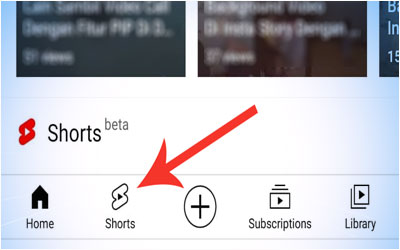
Ultimate Guide How to Make YouTube 'Shorts' Videos - Love sharing videos on YouTube? If so, did you know that YouTube has now presented a new feature called 'Shorts' which is said to be a competitor to TikTok and Instagram Reels? Curious to know what and how to use the Shorts feature on YouTube? Follow the full review of Caption Tips below. What are YouTube Shorts? Maybe you are wondering what does the 'Shorts' feature on YouTube does? Based on the search results and the Caption Tips editorial test, the YouTube Shorts feature is a feature that allows users to create and upload short videos (15 seconds - 60 seconds) to the YouTube service. Furthermore, the Shorts feature on YouTube allows video creators to use almost all audio music on YouTube. This feature also provides the ability to do video editing such as adding filters and input text to the video Shorts created. Simply put, these Shorts feature is similar to v...

How To Use PIP Feature While Video Calls On Instagram DM

Image
Instagram DM Has a PIP Feature When Video Calls, Here's How to Use It - Have you ever used the PIP (Picture-in-picture) feature while doing activities using any applications such as WhatsApp or YouTube? This feature allows users to play videos and use applications on one screen, now became popular with us. So, don't want to be left behind with other application services, now Instagram tries to share new experiences with its users by presenting the PIP (Picture-in-picture) feature when making video calls on Instagram's DM (Direct Message) service. Based on Caption Tips testing after updating the Instagram application on Android to the latest version, it is known that from now on, users can enjoy the PIP (Picture-in-picture) feature when making video calls on the Instagram DM service. Uniquely, the PIP feature on DM Instagram allows users to make video calls while opening other applications. So how do you use the PIP (Picture-in-picture) fea...

How To Create a Video Background In Instagram Story

Image
Now You Can Create Instagram Story Using Video Background - Have you ever tried to make an Instagram Story video with a video tutorial background or use a video from your cellphone gallery? Wow, it must be unique, right? Instagram users can now create Instagram stories with video backgrounds using these new filters called 'Disappear' and 'Reveal Background'. Based on search results and trials of Caption Tips , the 'Disappear' and 'Reveal Background' filter effects are Instagram's official filter effects that function to change the appearance of stories' backgrounds with videos and photos directly from the user's mobile gallery. Like the virtual background function in the Zoom service or TikTok, the new Instagram 'Disappear' and 'Reveal Background' filter effects also allow users to be more creative in changing the Instagram Story video background. Another advantage of Instagram's new filter effec...

How to Use Instagram Face Filters Effect on Facebook

Image
Here's an easy way to use Instagram Face Filters effects on Facebook   - Since the ability to cross-post between Facebook and Instagram has been introduced, since then several Instagram's distinctive features have begun to be used on Facebook service. Among some of the Instagram features that we can find on Facebook are the Superzoom video effect feature and the Layout feature. Not only that, based on search results and editorial trials of Caption Tips, that Facebook users can also use Instagram's Face Filters feature on the videos or photos they will post. Uniquely, not only one type of Face Filters but all of Instagram's official Face Filters effects can be used to be added to videos and photos made on Facebook. So, curious to know how to use Instagram Face Filters on Facebook? Follow the full review below. How to Use Instagram Face Filters Effects on Facebook Open the Facebook application Tap on the Facebook camera ...